UX CASE STUDY

.

HEALTHCARE

.

SAUDI ARABIA

.

2024

JHAH Visitor Management System

JHAH Visitor Management System

Designing a greenfield digital product to replace a fully paper-based hospital visitor process at Johns Hopkins Aramco Healthcare - one of the Saudi Arabia’s largest hospital networks.

Designing a greenfield digital product to replace a fully paper-based hospital visitor process at Johns Hopkins Aramco Healthcare - one of the Saudi Arabia’s largest hospital networks.

Greenfield B2C + B2B

Healthcare

KSA

Enterprise UX

Security - critical

Mobile + Web Dashboard

1-5K

Visitors per day

0

1

Greenfield product

2

Surfaces: B2C + B2B

87%

Reduction in check-in time

MY ROLE

Lead UX Designer

End-to-end ownership

TIMELINE

12 weeks

Discovery

Hi-fi prototype

TOOLS

Figma

FigJam

Maze

Miro

Notion

01

PROBLEM SPACE

PROBLEM SPACE

The Problem

The Problem

JHAH had zero digital infrastructure for visitor management. Every visitor filled paper forms at entry, security staff verified IDs by hand, and incident tracking lived in handwritten logs. With 1000-5000 visitors per day, this created cascading failures.

JHAH had zero digital infrastructure for visitor management. Every visitor filled paper forms at entry, security staff verified IDs by hand, and incident tracking lived in handwritten logs. With 1000-5000 visitors per day, this created cascading failures.

JHAH had zero digital infrastructure for visitor management. Every visitor filled paper forms at entry, security staff verified IDs by hand, and incident tracking lived in handwritten logs. With 1000-5000 visitors per day, this created cascading failures.

HOW MIGHT WE...

HOW MIGHT WE…

Digitize and secure the visitor check-in experience at JHAH - reducing queue time from 18-25 minutes to under 3 minutes, eliminating paper records, and giving operations teams real-time visibility - without adding friction for emotionally stressed visitors?

Digitize and secure the visitor check-in experience at JHAH - reducing queue time from 18-25 minutes to under 3 minutes, eliminating paper records, and giving operations teams real-time visibility - without adding friction for emotionally stressed visitors?

Why this is genuinely hard

Why this is genuinely hard

🌐

SAUDI ARABIA CONTEXT

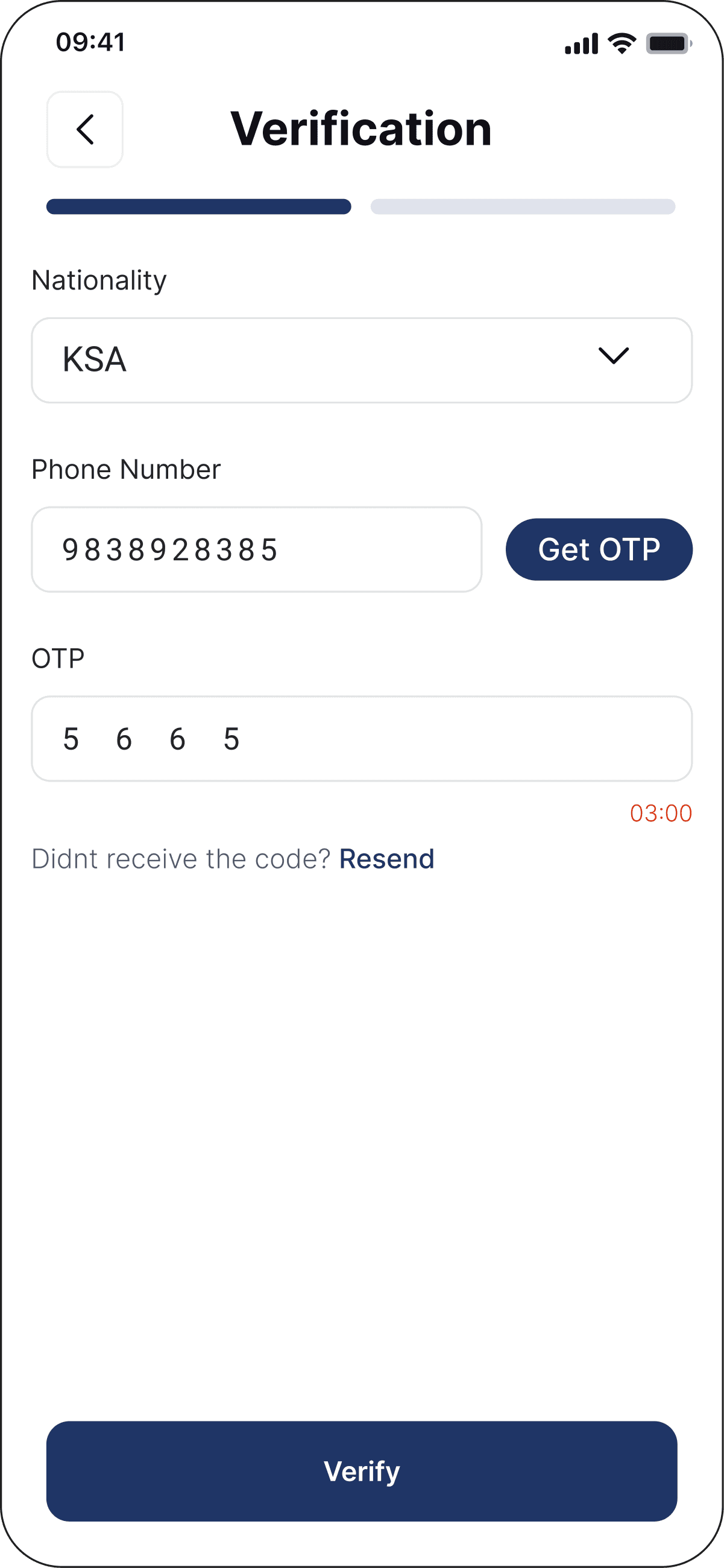
Four document types - Iqama, National ID, GCC ID, Passport - each with different format validation rules. Global visitors from 60+ nationalities.

Four document types - Iqama, National ID, GCC ID, Passport - each with different format validation rules. Global visitors from 60+ nationalities.

💛

EMOTIONALLY CHARGED USERS

A visitor coming to see a critically ill relative is under stress, may be elderly, and may not be tech-literate. The app must work for them without any assistence.

A visitor coming to see a critically ill relative is under stress, may be elderly, and may not be tech-literate. The app must work for them without any assistence.

🔒

SECURITY - CRITICAL AT SCALE

A blacklisted visitor attempting entry is a live security incident. System must respond in under 5 seconds with an actionable alert to security staff - at 5000 visitors/day.

02

DISCOVERY

DISCOVERY

Research & Findings

Research & Findings

👁️

On-site observation — 3 days

JHAH Dhahran main gate. Timed every check-in. Identified 6 distinct friction points. Average observed time: 18–25 min per visitor.

🗣️

Stakeholder interviews — 8 sessions

Security guards, front desk staff, ops manager, IT lead, and 3 visitors. Semi-structured format focusing on mental models and workarounds.


Security guards, front desk staff, ops manager, IT lead, and 3 visitors. Semi-structured format focusing on mental models and workarounds.

📋

Paper form audit — 200+ forms

34% incomplete fields, 18% illegible handwriting, 0% cross-referenced with any blacklist. No timestamps on departures.

📊

Visitor survey — 47 participants

Exit surveys at gate. 81% rated check-in as "stressful or unclear." 91% owned a smartphone. 76% would prefer mobile pre-registration.

🔬

Competitive analysis — 6 VMS tools

Envoy, Proxyclick, iLobby, Honeywell VMS, and 2 local KSA tools. None supported Iqama verification. None had an English-first mobile flow suited for global visitors.

🚪

Exit observation — ward monitoring

78% of paper exit logs were skipped. Directly observed 3 wards at 90%+ visitor capacity with no system notification to security staff.

Key findings

⏱️

01

01

18–25 min check-in — caused by paper forms

18–25 min check-in —caused by paper forms

Security staff spent 60% of their time transcribing visitor ID data by hand. Just 10% on actual security checks. The bottleneck was data capture, not verification.

Security staff spent 60% of their time transcribing visitor ID data by hand. Just 10% on actual security checks. The bottleneck was data capture, not verification.

→ Designed pre-registration as the primary flow. The "Add Visitor" slot booking screen captures date, time, visitor count, and entry type in advance — reducing gate interaction to a single QR scan.

→ Designed pre-registration as the primary flow. The “Add Visitor” slot booking screen captures date, time, visitor count, and entry type in advance — reducing gate interaction to a single QR scan.

📍

02

02

No slot system — visitors arrived at any time

No slot system — visitors arrived at any time

Without time-slot control, wards experienced surge crowds. Visiting hours were announced verbally. Critical wards had no protection from unplanned visitor overload.

Without time-slot control, wards experienced surge crowds. Visiting hours were announced verbally. Critical wards had no protection from unplanned visitor overload.

→ Designed the slot booking screen with date strip, 30-minute time pills, visitor count selector (1–4), and one-time vs multiple-entry toggle — giving the hospital full capacity control.

→ Designed the slot booking screen with date strip, 30-minute time pills, visitor count selector (1–4), and one-time vs multiple-entry toggle — giving the hospital full capacity control.

🌎

03

03

60+ nationalities — 4 ID types at one gate

60+ nationalities — 4 ID types at one gate

JHAH serves Aramco expat families alongside Saudi nationals. Guards dealt with National ID, Iqama, GCC ID, and international passports daily — none of which the paper system validated.

JHAH serves Aramco expat families alongside Saudi nationals. Guards dealt with National ID, Iqama, GCC ID, and international passports daily — none of which the paper system validated.

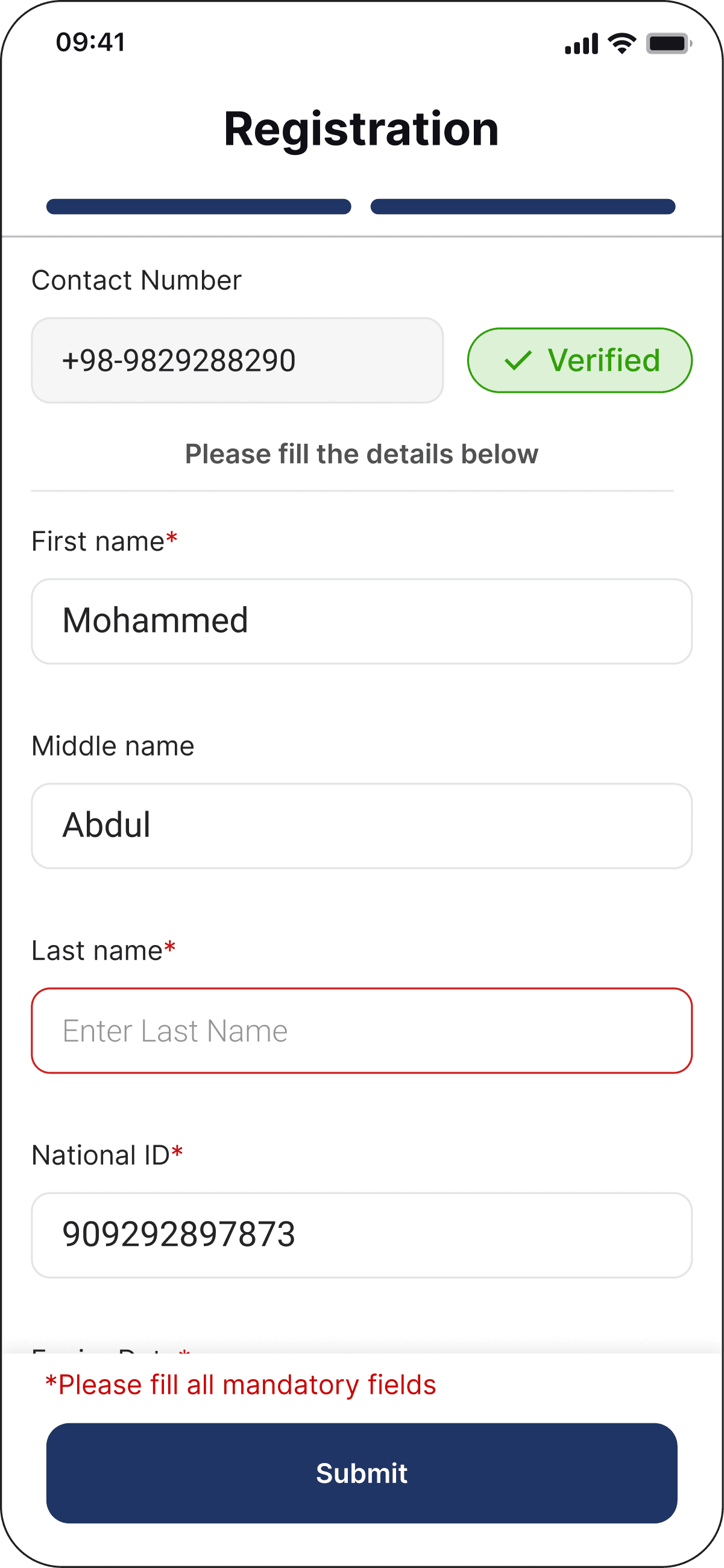
→ Designed a resident/non-resident ID selector in registration with format-specific validation per document type — catching errors before the visitor reaches the gate.

→ Designed a resident/non-resident ID selector in registration with format-specific validation per document type — catching errors before the visitor reaches the gate.

📈

04

04

Zero data for decisions

Zero data for decisions

Operations had no historical data on peak hours, busiest wards, or security incidents. 3wards observed at 90%+ capacity with no notification system. All decisions were gut-feel.

Operations had no historical data on peak hours, busiest wards, or security incidents. 3wards observed at 90%+ capacity with no notification system. All decisions were gut-feel.

→ Designed the admin dashboard with live stat cards (Active / Completed / Cancelled), a visitor table with Patient ID, slot time, and status badges — real-time view in one screen.


→ Designed the admin dashboard with live stat cards (Active / Completed / Cancelled), a visitor table with Patient ID, slot time, and status badges — real-time view in one screen.

Core research insight that shaped every design decision

Core research insight that shaped every design decision

Visitors were not the problem — the lack of pre-structured data was. Every feature in the final product — QR booking, slot picker, ID type selection, admin dashboard, status badges — exists because we moved data capture upstream. The gate became a verification point, not a data entry point.

Visitors were not the problem — the lack of pre-structured data was. Every feature in the final product — QR booking, slot picker, ID type selection, admin dashboard, status badges — exists because we moved data capture upstream. The gate became a verification point, not a data entry point.

04

EXPERIENCE

EXPERIENCE

User Journey Map

User Journey Map

Fathima AI-Nasser

Primary B2C persona

Full visit lifecycle

AWARE

Hears about app from hospital reception

Hears about app from hospital reception

Daughter helps her download it

Daughter helps her download it

😰

ANXIOUS

REGISTER

Opens app → "Plan Your Visit"

Opens app → "Plan Your Visit"

Picks date + slot + 2 visitors

Picks date + slot + 2 visitors

🤔

UNSURE

CONFIRMED

"Visit Request Created" screen

"Visit Request Created" screen

QR visible + shareable to WhatsApp

QR visible + shareable to WhatsApp

😊

RELIEVED

ARRIVE

Shows QR at gate scanner

Shows QR at gate scanner

Guard sees Active status on tablet

Guard sees Active status on tablet

😌

CALM

VISIT

Enters Ward B3

Enters Ward B3

App shows visit as "Active"

App shows visit as "Active"

🧐

FOCUSED

EXIT

Visit marked "Completed"

Visit marked "Completed"

Visible in visit history tab

Visible in visit history tab

😀

SATISFIED

EMOTIONAL INTENSITY CURVE

EMOTIONAL INTENSITY CURVE

No app promotion at entry gate yet

No app promotion at entry gate yet

Slot picker is fast — 3 taps to book


Slot picker is fast — 3 taps to book

QR shareable via WhatsApp instantly


QR shareable via WhatsApp instantly

Guard sees status without asking


Guard sees status without asking

No in-ward wayfinding on badge yet

Completed status visible immediately

📡

Whatsapp / word of mouth

Whatsapp / word of mouth

📡

JHAH mobile app

📡

App + WhatsApp share

📡

Gate QR scanner

📡

App (active state)

📡

Exit scanner + app

05

VISUAL LANGUAGE

VISUAL LANGUAGE

Design System

Design System

Color palette

Primary Navy

#1A2B4A

Headers, CTAs

Primary Teal

#1D9E75

Selected, CTAs, accent

Teal Light

#E1F5EE

Success bg, chip fill

Teal Dark

#085041

Text on teal bg

Amber

#BA7517

Warning states

Red

#A32D2D

Error, danger

Text Muted

#6B7280

Labels, captions

Surface

#F3F4F6

Page bg, rows

Primary Navy

#1A2B4A

Headers, CTAs

Amber

#BA7517

Warning states

Primary Teal

#1D9E75

Selected, CTAs, accent

Red

#A32D2D

Error, danger

Teal Light

#E1F5EE

Success bg, chip fill

Text Muted

#6B7280

Labels, captions

Teal Dark

#085041

Text on teal bg

Surface

#F3F4F6

Page bg, rows

Typography scale

Display XL

Inter 800

60px

-2px tracking

JHAH Visitor

Managment

JHAH Visitor

Managment

Display L

Inter 800

32px

-1px tracking

Plan your visit

Heading 1

Inter 700

24px

-0.5px tracking

Select your time slot

Heading 2

Inter 600

18px

Available appoinments today

Heading 3

Inter 600

16px

Fatima Al-Nasser

Body M

Inter 400

14px

1.7 line-height

Book time to meet your loved ones at JHAH Dhahran

Caption

Inter 400

11px

1.5 line-height

Last updated

09:41 AM

16 Apr 2024

06

RATIONALE

RATIONALE

Design Decisions

Design Decisions

Every significant decision documented with problem, rationale, and tradeoff — the section that wins interviews at senior level.

Every significant decision documented with problem, rationale, and tradeoff — the section that wins interviews at senior level.

01

"Plan Your Visit" as the home screen primary CTA

PROBLEM

18–25 minute queues were caused entirely by data collection happening at the gate. Returning visitors said they wanted to plan before arriving, not scramble at the entrance.

DECISION & RATIONALE

The home screen anchors around a single dominant CTA: "Plan Your Visit." Even the empty state — "No Upcoming Visit" — points toward booking rather than passive waiting. The visitor's entire job is done before they leave home.

TRADEOFF MANAGED

Walk-in visitors who have not pre-booked are handled at the front desk via the admin tablet. The app is optimised for the majority (pre-booked) without breaking the minority (walk-in) experience.

01

Slot booking: date strip + count chips + time pills

PROBLEM

Without a slot system, wards faced surge crowds. Visitors had no idea how many people were allowed or when. Security had no mechanism to cap capacity per visiting window.

DECISION & RATIONALE

The slot booking screen packs four decisions into one flow: date (strip), visitor count (chips 1–4), time window (30-min pills), and entry type (one-time vs multiple). Each control is visually distinct and independently tappable — no dropdowns, no text input.


The slot booking screen packs four decisions into one flow: date (strip), visitor count (chips 1–4), time window (30-min pills), and entry type (one-time vs multiple). Each control is visually distinct and independently tappable — no dropdowns, no text input.

TRADEOFF MANAGED

The "multiple entry" option adds complexity but was a direct hospital requirement — some patients needed daily family visits across long admissions. The radio toggle keeps it visible without cluttering the primary path.

The "multiple entry" option adds complexity but was a direct hospital requirement — some patients needed daily family visits across long admissions. The radio toggle keeps it visible without cluttering the primary path.

03

QR as the visit confirmation artefact — hero of the screen

PROBLEM

At gate check-in, the single biggest delay was security staff manually cross-referencing a visitor's name against a paper register. There was no machine-readable token tied to a booking.

DECISION & RATIONALE

The "Visit Request Created" screen makes the QR the hero — full-width, high contrast, immediately scannable. The teal heading signals success. Visit metadata (date, slot, patient name, ward) sits below as confirmation. The QR is the gate key, not an afterthought.

TRADEOFF MANAGED

Phone battery or app access failure was a real risk observed in the field. Mitigated by: QR shareable via WhatsApp, a printable version, and a 6-digit alphanumeric fallback code that security can look up on the admin tablet.

04

Admin dashboard: stat cards + live visitor table as default view

PROBLEM

Khalid (security ops) had zero real-time data. His paper log was always 30+ minutes behind. He could not see how many visitors were currently on premises or which wards were over capacity.

DECISION & RATIONALE

The admin dashboard opens with three stat cards: Active Visitors / Completed Visits / Cancelled. Below is a live visitor table with Patient ID, patient name, date, slot, status badge and action icons (approve/deny). Khalid sees the entire hospital visit load in a single glance — no drilling required for routine monitoring.

TRADEOFF MANAGED

The table shows all visitors by default, not filtered by ward, because Khalid needs a hospital-wide view. Department-level filtering is available via the sidebar but is not the default — matching his actual mental model from interviews.

05

3-tab nav with a centered FAB for the primary action

PROBLEM

The core job of the app for 80% of visits is: check an upcoming visit or plan a new one. All other actions (history, profile) are secondary. A complex nav would bury the primary action.

DECISION & RATIONALE

The bottom nav uses 3 tabs: Visits (upcoming view) / + FAB (plan new visit) / Profile. The FAB is the visual anchor — always visible, always one tap away from starting a booking. This matches the mental model of "I open the app to do one thing."

TRADEOFF MANAGED

Family member management and visit history are accessible from within the booking flow and profile, not as top-level tabs. This was a deliberate choice to reduce nav complexity for Fatima (low tech literacy) rather than expose every feature upfront.

07

VALIDATION

VALIDATION

Usability Testing

Usability Testing

Round 01 · Lo-fi wireframes

Round 01 · Lo-fi wireframes

6

Participants

83%

Avg Completion

Maze

Tool

Register as new visitor

83%

Add a family member

67%

Book a visit slot

100%

Find visit history

50%

Admin: deny a visitor

100%

Round 02 ·HI-fi PROTOTYPE

8

Participants

94%

Avg Completion

84.2

SUS Score

Avg booking flow time

4 min 12 sec

Avg gate check-in (simulated)

Avg gate check-in (simulated)

48 seconds

Fatima-equivalent participant

9/10 · completed solo

9/10 · completed solo

SUS "Excellent" threshold

80+ · Achieved: 84.2

80+ · Achieved: 84.2

Iterations Applied

After Round 1 — lo-fi wireframes

After Round 1 — lo-fi wireframes

Slot time pill labels changed from "AM/PM" only to full range "09:00 – 09:30 AM" — users did not understand session length from time alone

Slot time pill labels changed from “AM/PM” only to full range “09:00 – 09:30 AM” — users did not understand session length from time alone

Visitor count changed from a text input to tap chips (1 / 2 / 3 / 4) — input field caused errors and confusion on mobile

Visitor count changed from a text input to tap chips (1 / 2 / 3 / 4) — input field caused errors and confusion on mobile

"Visit Request Created" heading colour changed from navy to teal — participants said navy felt like an error state rather than a success screen

“Visit Request Created” heading colour changed from navy to teal — participants said navy felt like an error state rather than a success screen

Admin table: "Status" badge added per row — initial design only had action icons; guards could not distinguish Active vs Completed without clicking into each record

Admin table: “Status” badge added per row — initial design only had action icons; guards could not distinguish Active vs Completed without clicking into each record

After Round 2 — hi-fi prototype

After Round 2 — hi-fi prototype

Home screen empty state given visual weight — added patient imagery and clear "Plan Your Visit" CTA so the screen does not feel broken to first-time users

Home screen empty state given visual weight — added patient imagery and clear “Plan Your Visit” CTA so the screen does not feel broken to first-time users

Home screen empty state given visual weight — added patient imagery and clear "Plan Your Visit" CTA so the screen does not feel broken to first-time users

QR screen: "No. of Visitor" label added after testing showed users were unsure how many people the pass covered for group visits

QR screen: “No. of Visitor” label added after testing showed users were unsure how many people the pass covered for group visits

Admin dashboard: "All Visitor" default tab made visually active in sidebar — testers defaulted to clicking the logo rather than the nav, not realising the table was already the correct view

Admin dashboard: “All Visitor” default tab made visually active in sidebar — testers defaulted to clicking the logo rather than the nav, not realising the table was already the correct view

10

OUTCOMES

OUTCOMES

Impact & Result

Impact & Result

87%

Reduction in check-in time

18–25 min → 2 min 47 sec

100%

Paper eliminated

Zero forms per day

84.2

SUS score

Excellent threshold: 80+

+56pts

Visitor satisfaction

31% → 87% positive

Check-in time

18–25 minutes

2 min 47 sec

-87%

Paper forms/day

1,000–5,000 forms

Zero

Eliminated

Security incidents caught

~0 (no system)

12 in pilot week

New capability

Overstay violations

~0 (no tracking)

34 detected, 6 escalated

New capability

Front desk check-in time

~60% of shift

~15% of shift

-45%

What I would do differently

Add ward wayfinding to the QR badge screen

The "Visit Request Created" screen shows the ward number but not directions. Observed during testing: visitors still asked security for directions after scanning QR. A simple floor map or directional text would close this gap without a new screen.

The "Visit Request Created" screen shows the ward number but not directions. Observed during testing: visitors still asked security for directions after scanning QR. A simple floor map or directional text would close this gap without a new screen.

Home screen should show active visit — not just "No Upcoming Visit"

Once a booking exists, the home screen should shift to show a live visit card with QR shortcut, countdown timer, and ward name — making the home screen useful during the visit, not just before it.

Add ward wayfinding to the QR badge screen

The current admin design has stat cards and a visitor table, but no persistent alert surface for security incidents. A fixed red alert banner for blacklist matches would give Khalid an immediate signal without needing to spot a row in the table.